Capture in Markdown,
your knowledge reading notes

Reading alone fades fast. Writing it down in your own words helps it stick and makes your understanding deeper. Dengram is a Markdown reading notes and knowledge management app built for that.

Get it on Google Play

Android · Coming soon · No login required

Your reading stays on your device

Start right away with no login. Your note content never leaves your phone — notes are saved as Markdown files on your device and open in any other Markdown app.

Start with no login

Start logging your reading the moment you install, with no account. No sign-up hassle.

Markdown files on your device

Notes are saved as Markdown (.md) files on your device. The content is never sent off-device, and opens in other Markdown apps.

On-device text recognition

When you capture a sentence with your camera, the text recognition runs on your phone.

Three steps is all it takes

01

Add a book

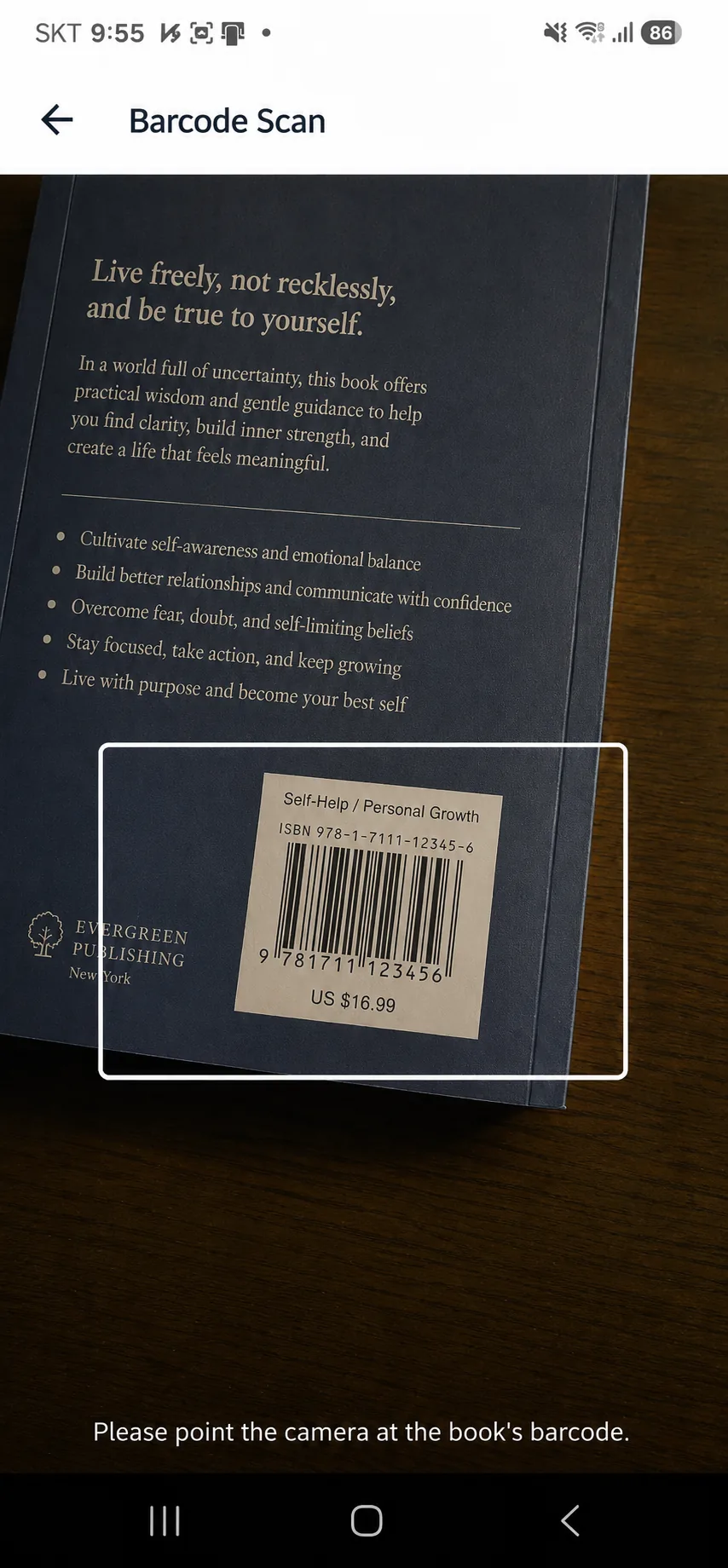
Add the books you read fast — search by title or scan the ISBN barcode.

02

Write in your words

Jot passing thoughts as fleeting notes and a book’s key points as literature notes. Rewrite in Markdown to understand.

03

Connect your ideas

Link notes, books, and authors with outgoing links and backlinks, and see it all in a concept map.

Why Dengram is different

Take notes the
Zettelkasten way

From passing thoughts to your own conclusions, build notes up in stages. Rewriting in your own words makes understanding stick.

  • Fleeting, literature, permanent notes
  • Rewrite in your words to understand
Take notes the Zettelkasten way
9:41
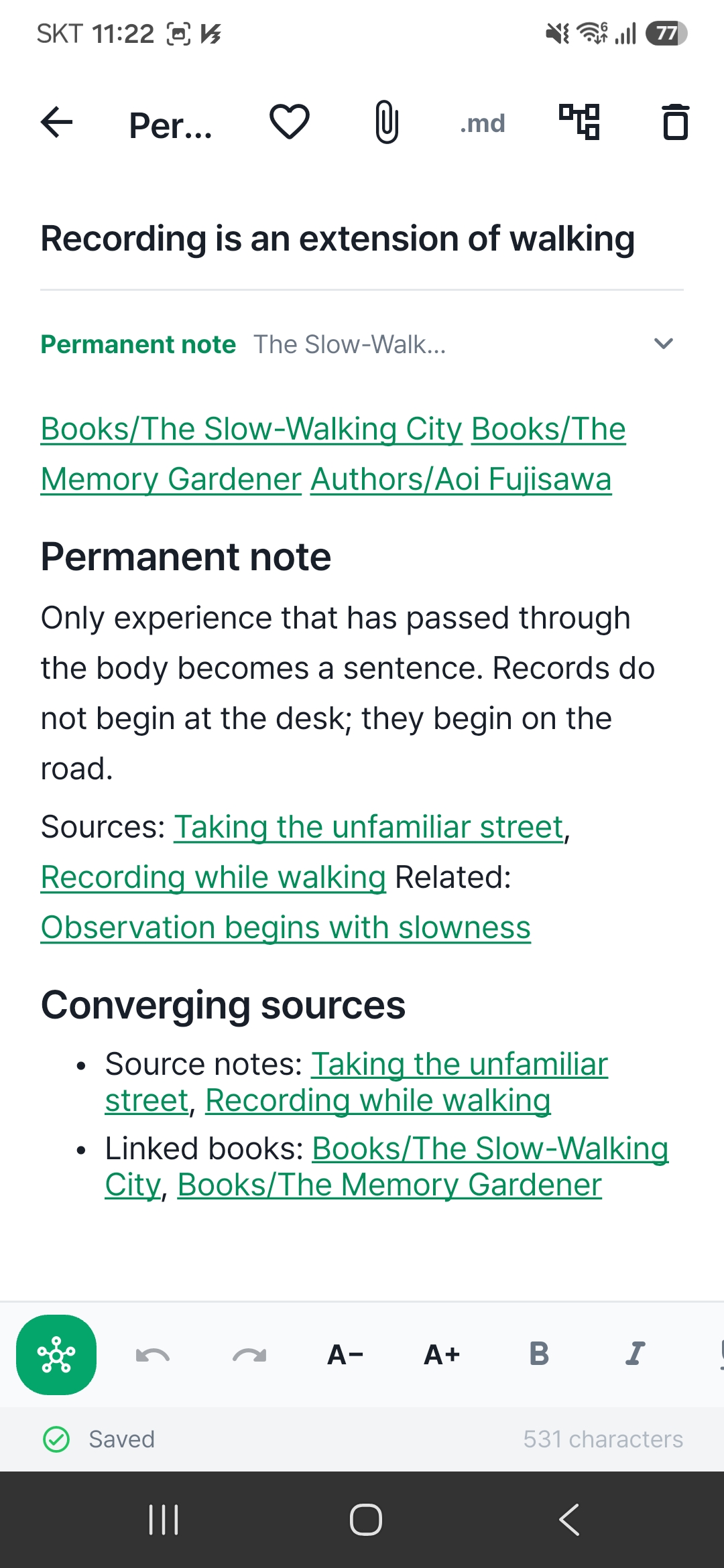
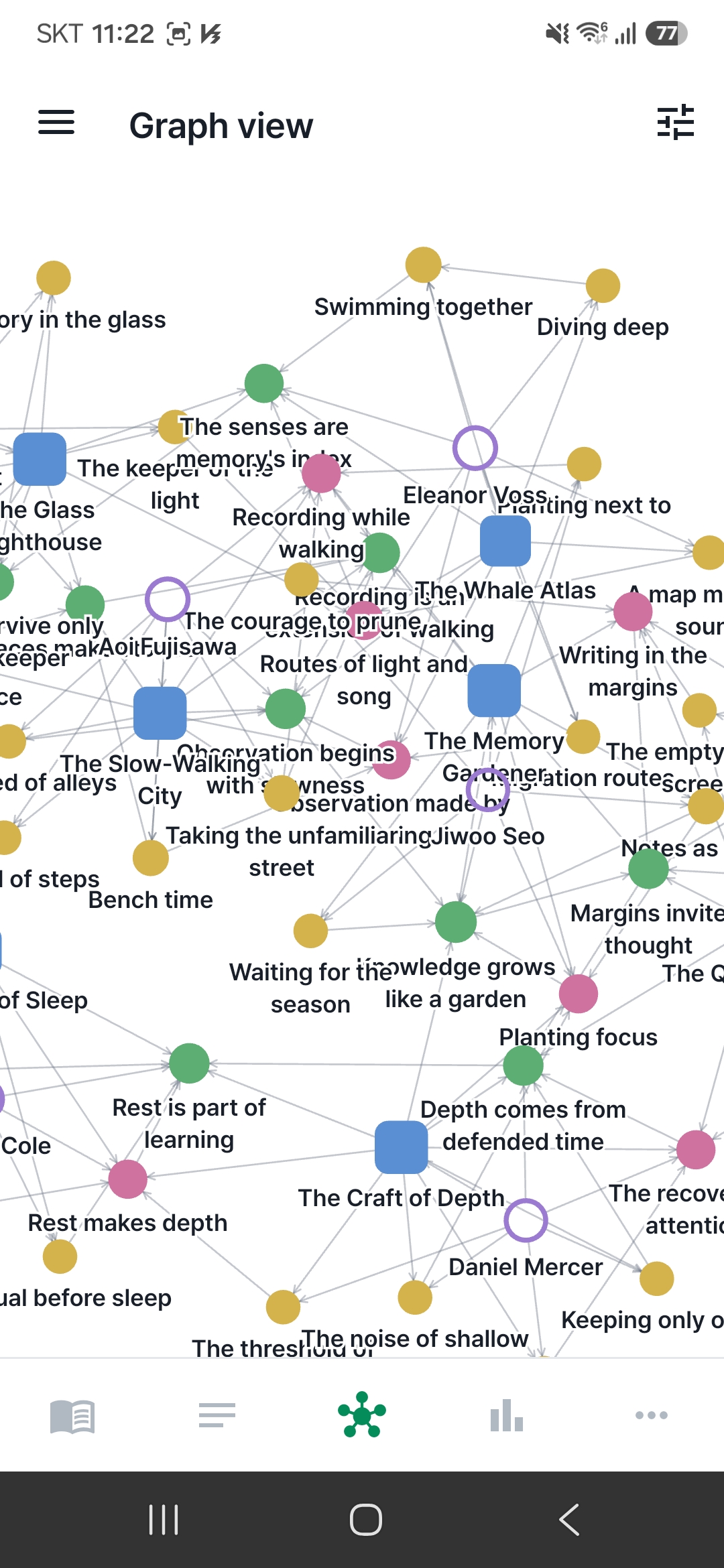
Links & backlinks connect your notes
9:41

Links & backlinks connect your notes

Link notes, books, and authors, and scattered ideas connect so your knowledge keeps growing.

  • Link notes, books, and authors
  • See it all in a concept map

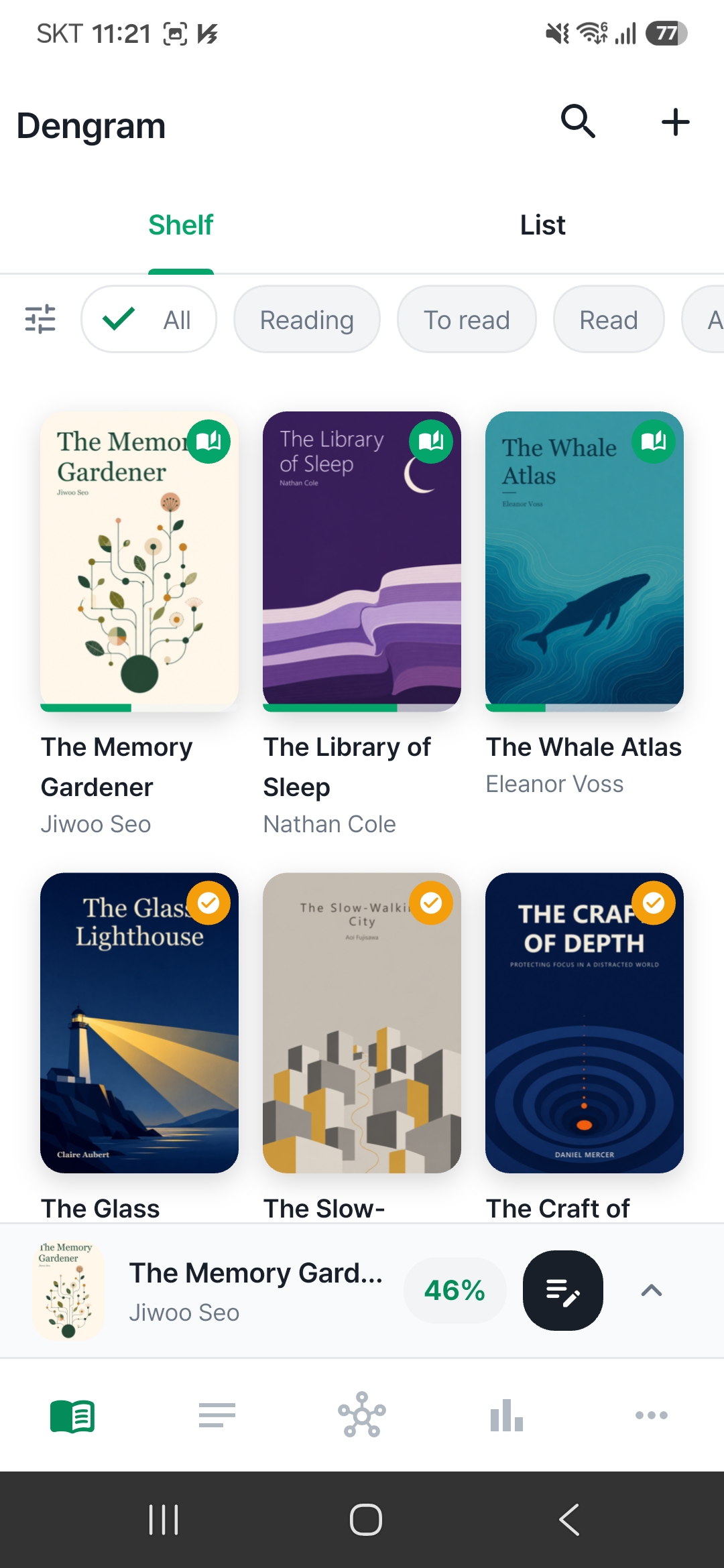
Add books by search or barcode

Adding the books you read is effortless — a search or a scan fills your shelf in seconds.

  • Find a book by its title
  • Scan the ISBN barcode
Add books by search or barcode
9:41
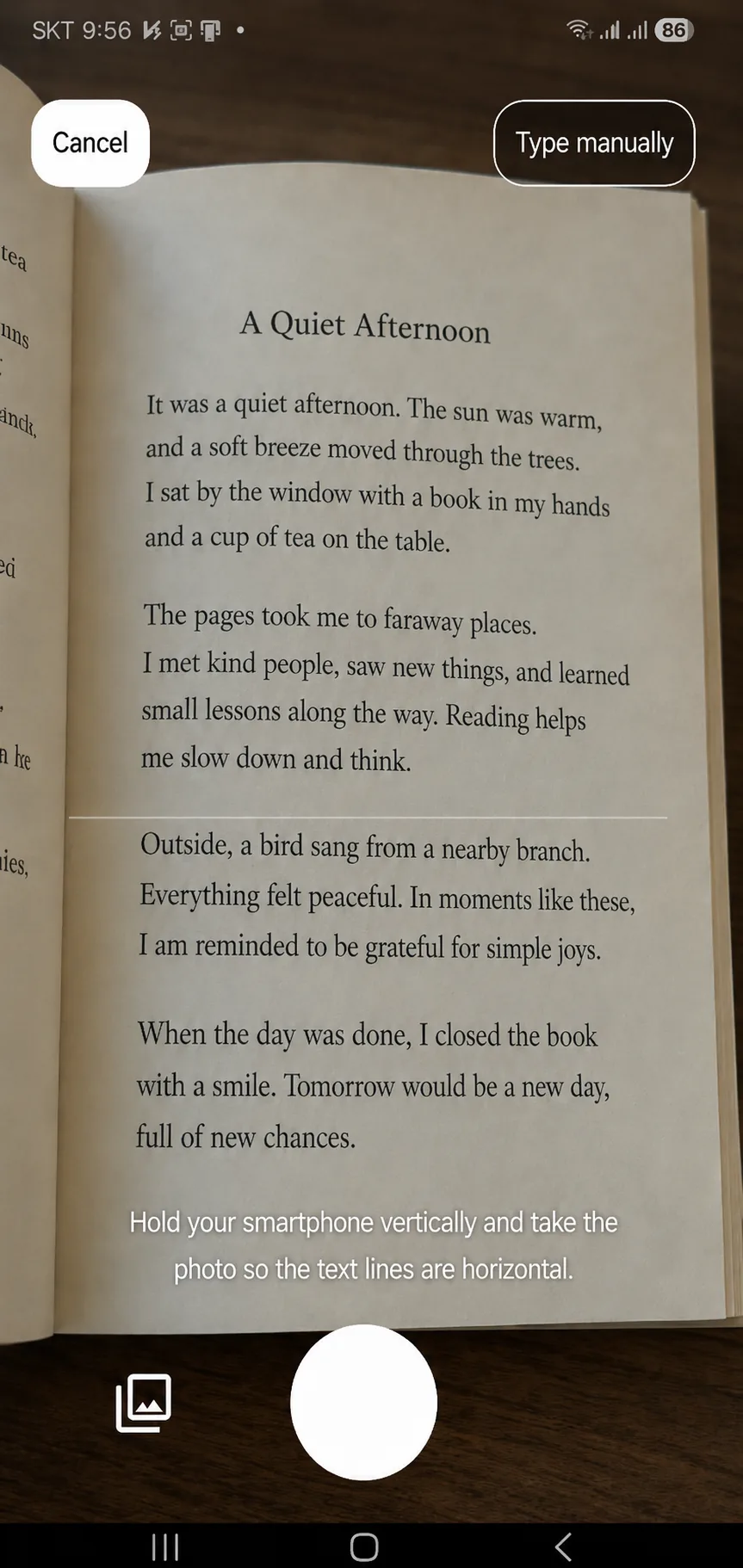
Capture sentences with your camera
9:41

Capture sentences with your camera

Snap an underlined sentence and pull it into your notes. Text recognition runs on your phone and never leaves it.

  • Pull lines into your notes
  • Text recognition runs on device

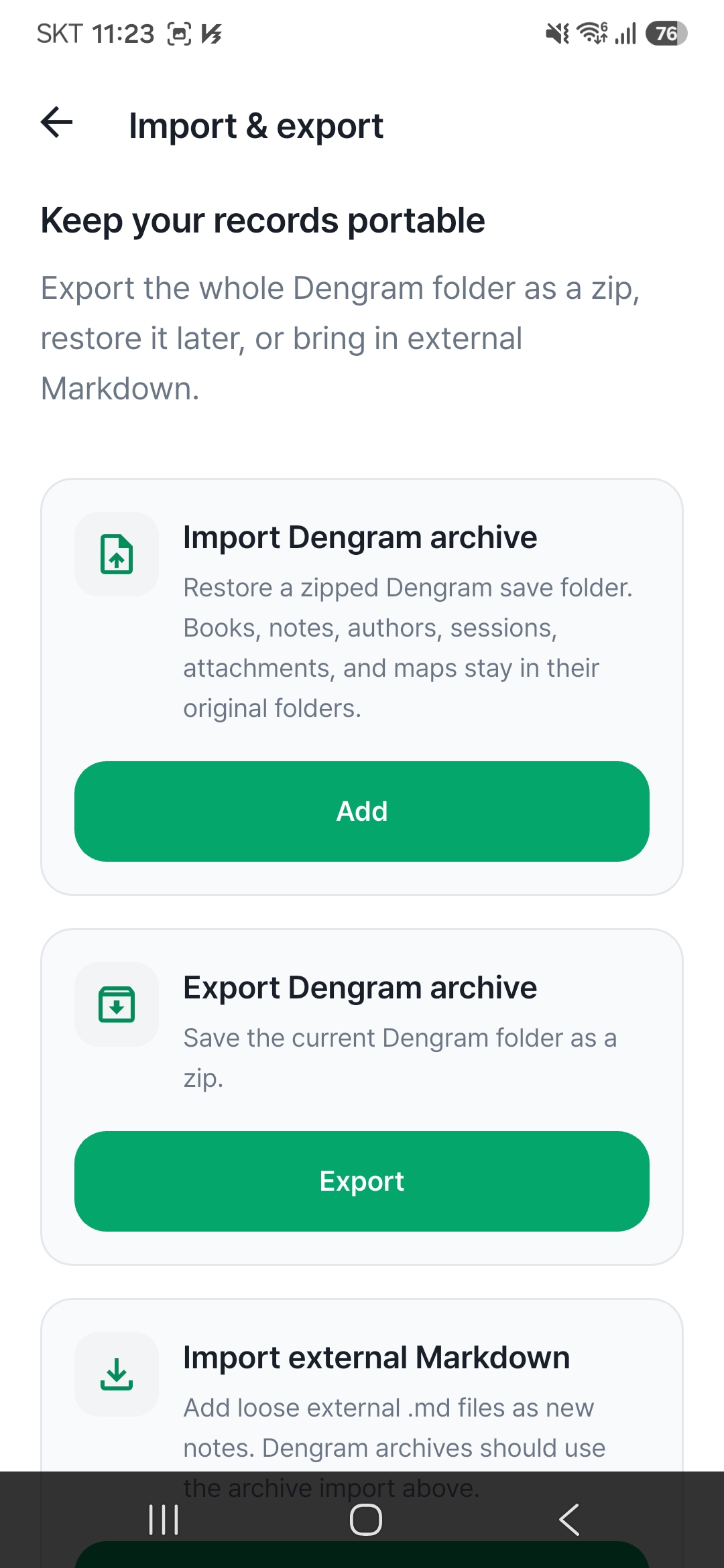
Notes saved as Markdown files

Every note is a Markdown file on your device, so your writing is never locked into one app and moves with you.

  • Open later in other Markdown apps
  • Local-first, your data stays yours
Notes saved as Markdown files
9:41
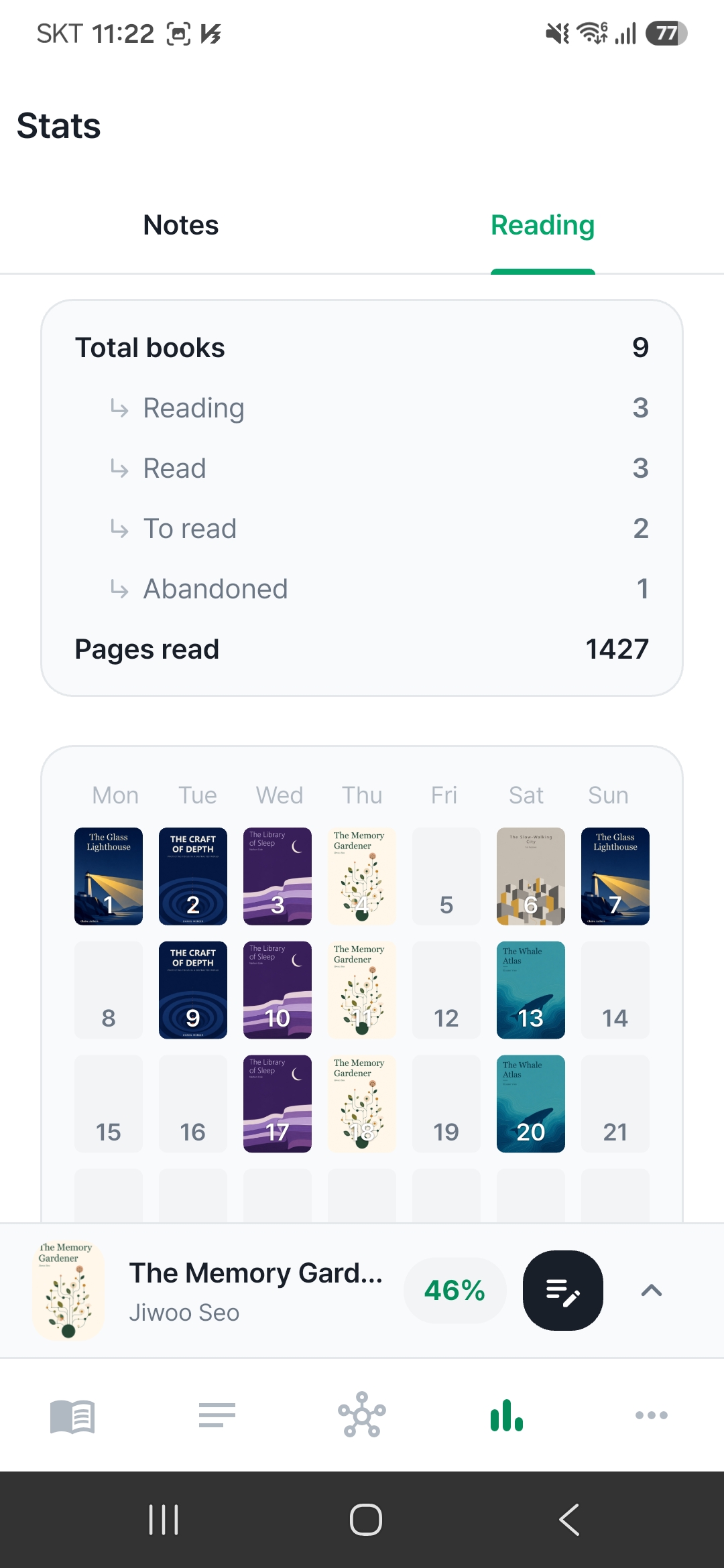
Progress, calendar and stats
9:41

Progress, calendar and stats

Follow your reading with progress, a reading calendar, and stats — see how much you’ve read at a glance.

  • Track reading progress & calendar
  • See your reading in stats

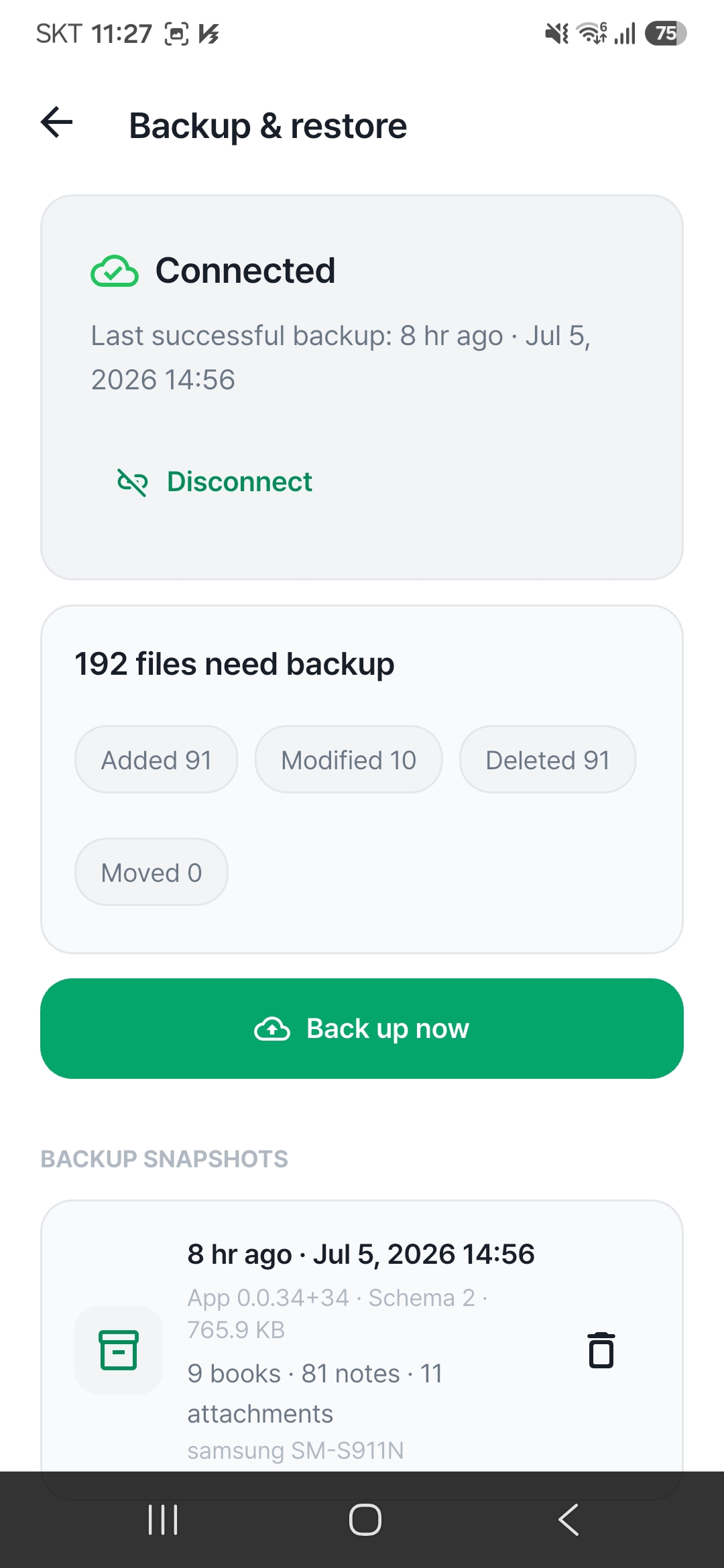
Back up safely to Google Drive

Back up and restore your books, authors, and notes with Google Drive. Change or lose your phone and your reading is still there.

  • Safely back up books & notes
  • Restore on a new device
Back up safely to Google Drive
9:41

Frequently asked questions

What is Dengram?

Dengram is a Markdown reading notes and knowledge management app that works the Zettelkasten way. You rewrite what you read in your own words, and connect notes, books, and authors with links and a concept map, turning scattered reading into your own knowledge. It’s available on Android.

What is Zettelkasten?

Zettelkasten is a note-taking method where you write ideas as small notes and link them to build knowledge. In Dengram you jot passing thoughts as fleeting notes, put a book’s key points into literature notes in your own words, and keep your conclusions as permanent notes to reuse later.

Where are my notes stored?

Notes are saved as Markdown (.md) files on your device, and the content is never sent off-device. Because they use the standard Markdown format, you can open them later in other Markdown apps, so your writing is never locked into one app.

Do I need to sign up or log in?

No. You can start logging your reading the moment you install, with no login. You only connect an account if you want to back up and restore your books, authors, and notes with Google Drive.

How do I add a book?

Search by title or scan the ISBN barcode on the back cover to add a book quickly. You can also capture underlined sentences with your camera to pull them into notes — the text recognition runs on your device.

Is Dengram free?

Yes. You can download and use it for free. It shows banner ads, and you can remove ads with a one-time purchase.

Turn scattered reading into your own knowledge

With Dengram, connect the books you read into your own second brain.

Android · Coming soon

Get it on Google Play